LTBEEF inspect (Using inspect to disable extensions)
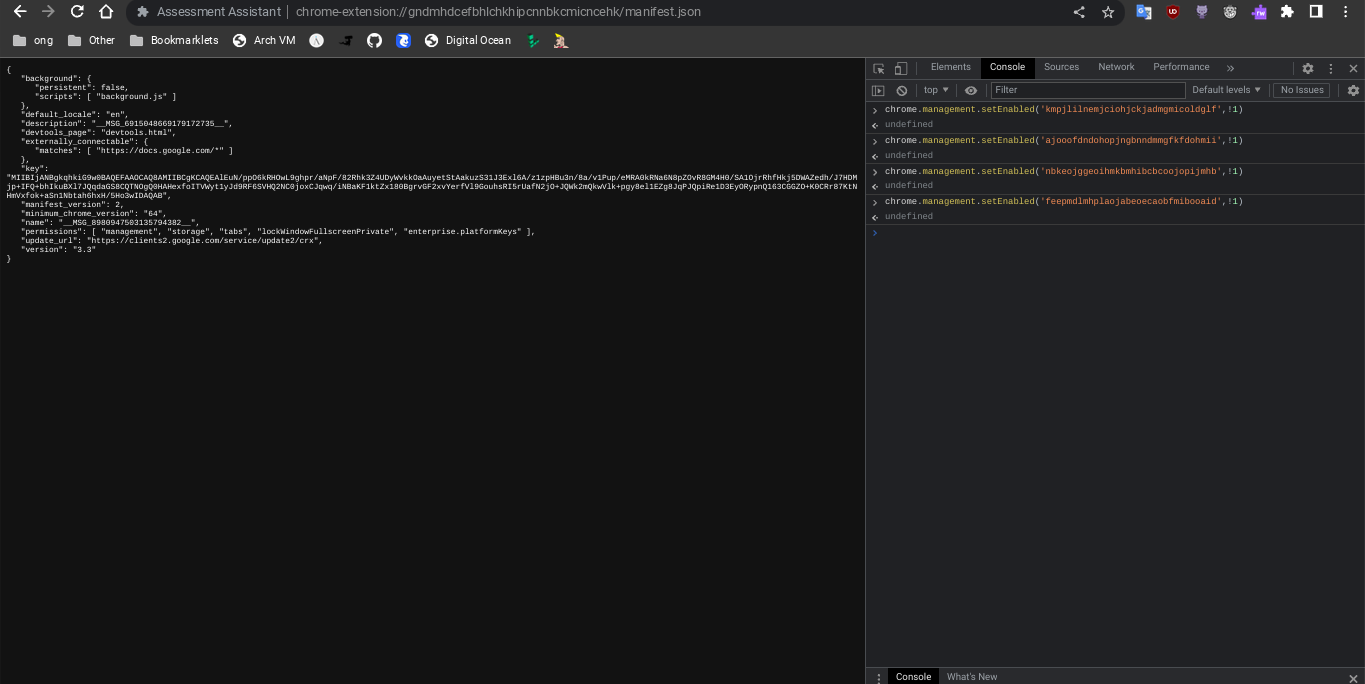
- Open this URL on your chromebook: `chrome-extension://gndmhdcefbhlchkhipcnnbkcmicncehk/manifest.json` Shortened link: https://tinyurl.com/i-ltbeef
- Open inspect and navigate to the console tab.
- Run the basic LTBEEF code such as
```js
chrome.management.setEnabled('extensionid', false)
```
Replacing `extensionid` with the ID of the extension you want to disable, e.g. the stuff after the = in the URL bar when you click the extension's "details" button in chrome://extensions
Credit to SprinkzMC#8421 (aka Bypassi) for finding this!
To re-enable just go to the chrome web listing for the extension and click on the banner.
Ext-remover